On October 21, PHP shipped emergency fixes for two serious security flaws.
PHP is the code behind most of the websites you visit. Most WordPress sites run on it. Researchers say nearly every version released in the last decade has at least one of these bugs.
Here is the part that should get your attention. AI found them.
Researchers at Wiz used AI models to uncover the flaws and show how an attacker could use them to take over a website. Government agencies, including the NSA and CISA, told website owners to update right away. Some governments took their own sites offline until they could patch.
I'm not sharing this to scare you. I'm sharing it because the gap between "a flaw is announced" and "someone tries it on your site" keeps getting shorter. AI speeds up both sides.
The fix is not complicated. It's a checklist, and most owners can get through it in about 3.5 hours over one week.
What's actually at risk
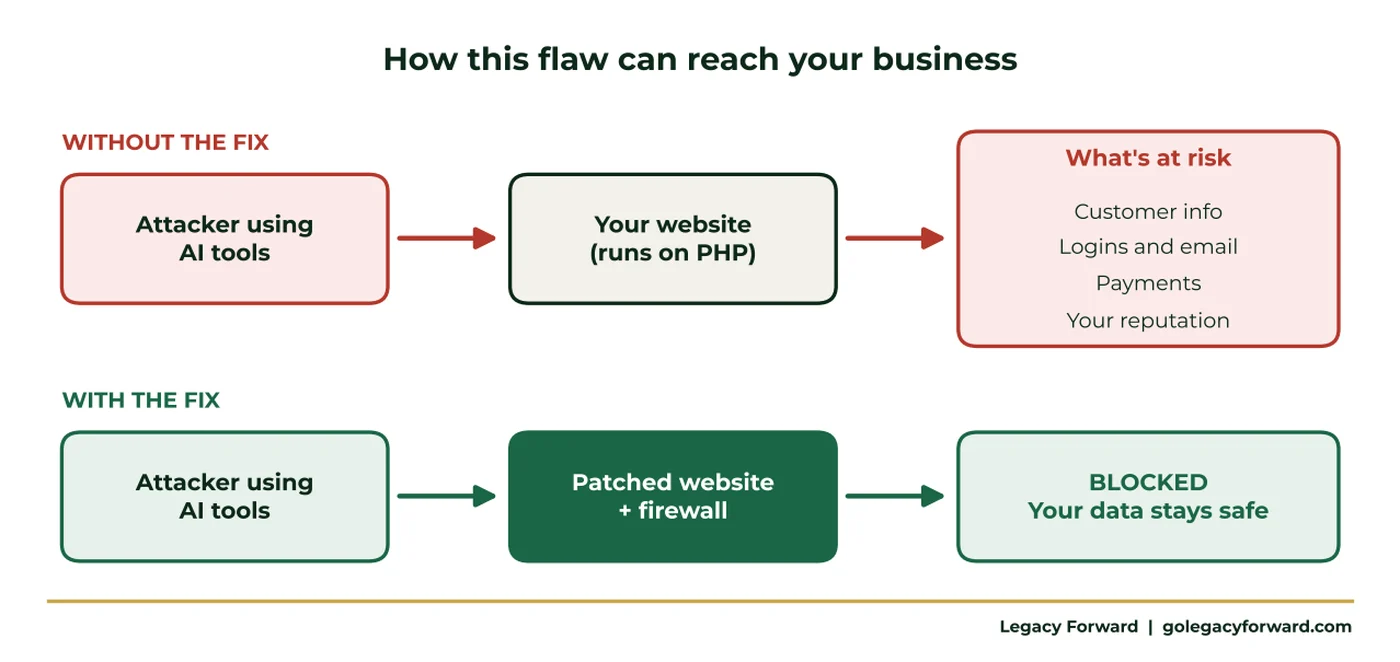
If your website runs on PHP and hasn't been updated, an attacker may be able to run their own code on your web server. That server often touches customer information, form submissions, logins, and sometimes payments.
If your site is on Wix, Squarespace, or Shopify, the platform runs the server for you. You can skip the website steps below. The account steps still apply.
Five steps, one per day
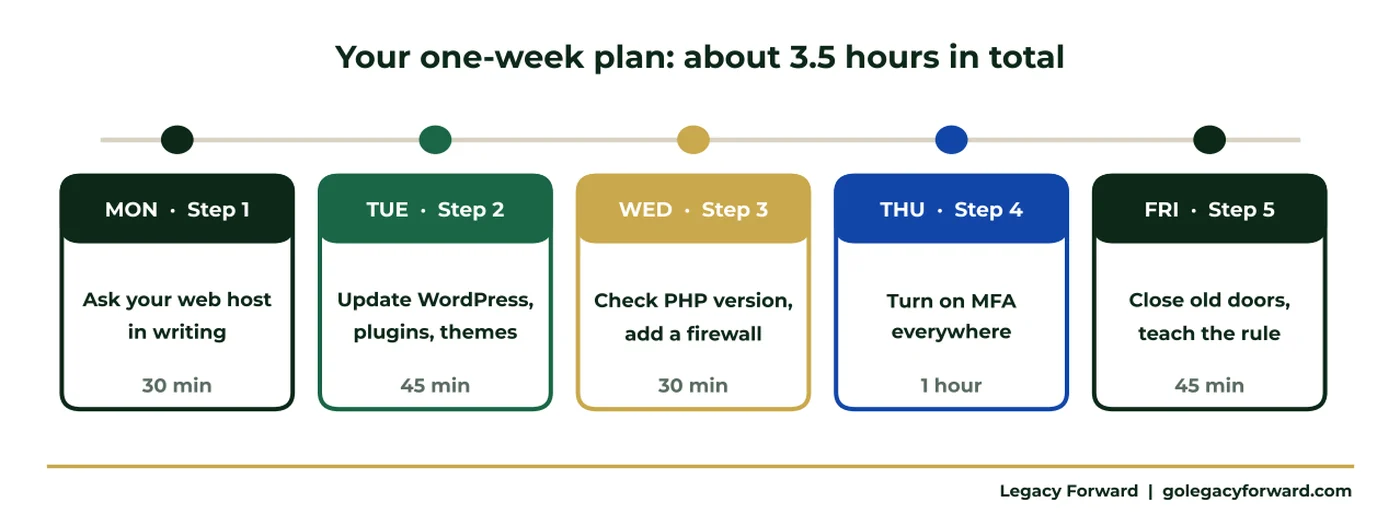
Monday: Find out who runs your website, then ask in writing
Most small businesses don't run their own server. A web host or developer does, and they control the PHP update. Not sure who that is? Search your email for "hosting" or "renewal," ask whoever built the site, or look up your domain at lookup.icann.org.
Then send them one email:
"Which PHP version does our website run? Has it been updated with the October 21 fixes? If not, when will it be? Do we have a website firewall turned on until then?"
Ask for the answer in writing and save it.
Tuesday: Update WordPress, plugins, and themes
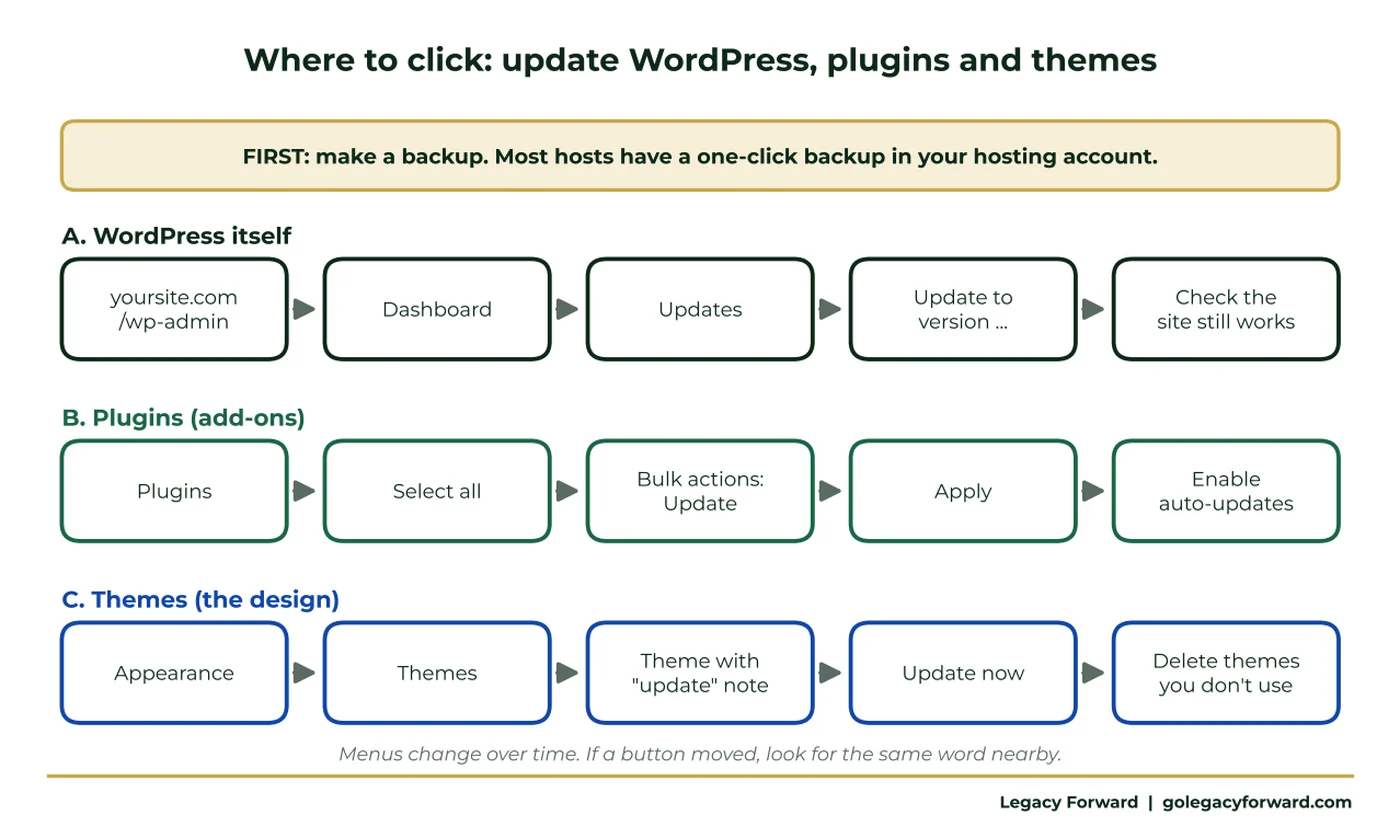
Make a backup first. Most hosts have a one-click backup in your hosting account.
Then go to Dashboard, then Updates. Update WordPress, then every plugin, then your theme. Turn on auto-updates for your plugins. Delete the plugins and themes you don't use. Fewer add-ons means fewer ways in.
Wednesday: Check your PHP version and add a shield
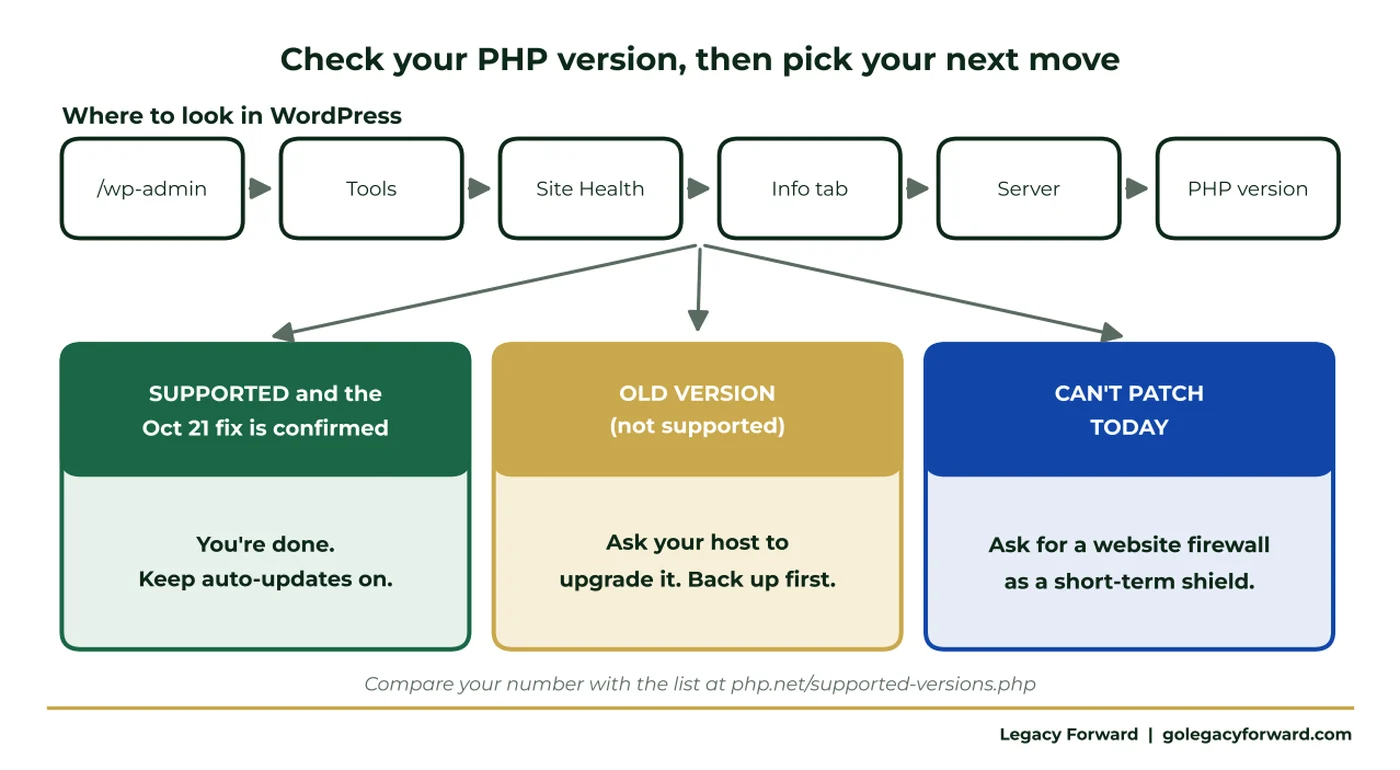
In WordPress, go to Tools, then Site Health, then the Info tab, then Server. Find the line that says "PHP version" and compare it with the supported list at php.net. Reports say about half of PHP sites on the internet run versions too old to get this patch. If yours is one of them, ask your host to upgrade it.
If they can't patch today, ask for a website firewall. Cloudflare and Fastly published protections for this flaw, and many hosts include one. A firewall is a seat belt, not a repair. You still need the fix.
Thursday: Turn on MFA where it matters most
A patched website doesn't help if someone has your password. Turn on the extra login code for your email, bank, payroll, web host, domain registrar, and WordPress admin. Pick an authenticator app over text messages when you can.
Friday: Close old doors and teach the Call-Back Rule
Remove logins for former employees, old agencies, and past developers. Keep two admins at most.
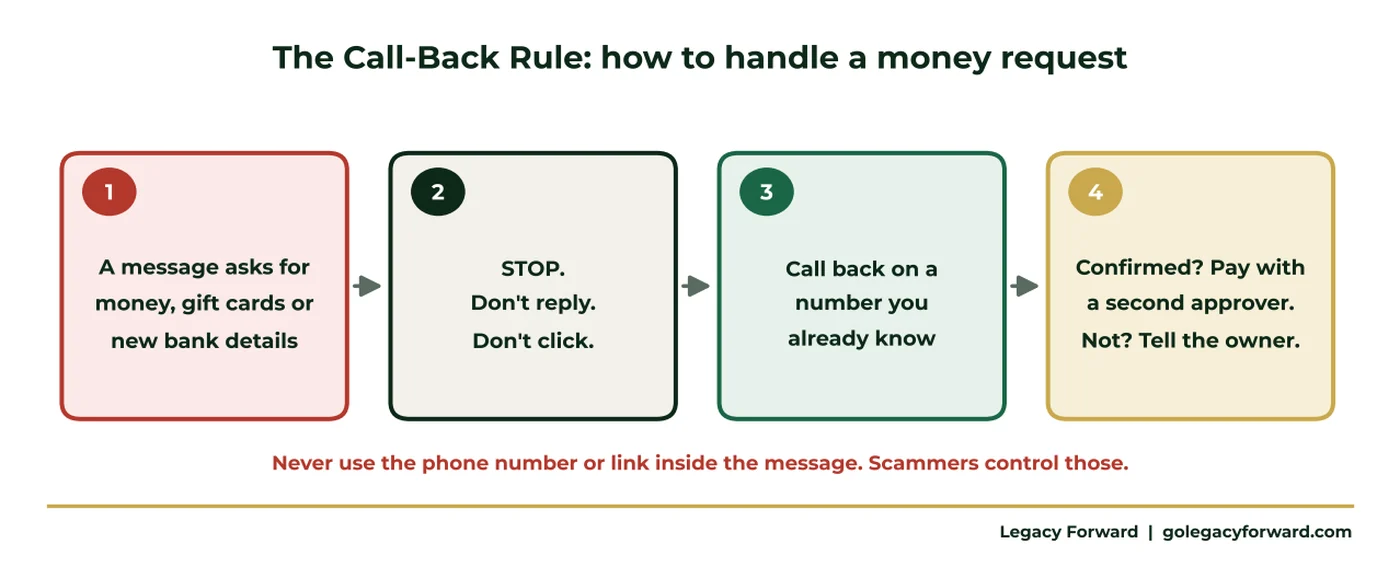
Then teach your team one rule:
If a message asks for money, gift cards, or new bank details, stop. Call the person back on a number you already know. Never use the number or link in the message.
Get the full playbook
The free Website Safety Playbook walks through each step in plain English: where to click, exactly what to send your host, how to read their answer, and a final checklist. No tech background needed.
If you'd rather have someone go through it with you, book a free 30-minute call. We'll look at your website, hosting, and logins together and show you your biggest gaps.
Facts current as of October 23, 2026. Sources: Cybersecurity Dive and Wiz Research.